Introduction: Fishing Fantasy
There are videogames that can make you reexperience it as if it was the first time. For me, one of these is Tomb Raider 3. It is the first videogame I remember playing (or trying to). I am using the word “playing” a bit loosely here, since I must have been no older than 3, sitting on my dad’s lap and rage quitting after the first encounter with an enemy. I could hardly move the character, let alone aim and defeat even the monkeys in the starting area. It was nevertheless very exciting to watch my dad play. The brightest memory I have is watching my dad fight a three-headed dragon in Trajan’s Markets while jumping left to right and avoiding deadly fireballs.
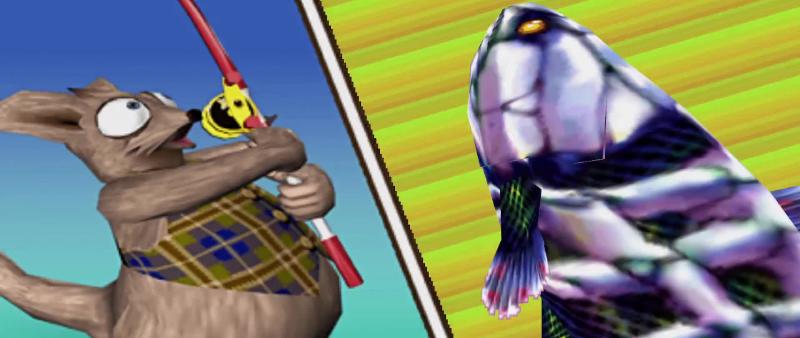
Another game that sits very close to my heart is the main topic of this article. This game is called “Fishing Fantasy: Buzzrod”, which came out in 2005 for the PS2. It is a cartoonish looking RPG fishing game with focus on exploration and experimentation. You play as Patt Possom, a possum archaeologist striving to be like his renowned archaeologist uncle. While looking through his uncle’s books, he finds a note describing an ancient civilization which worshipped fish as messengers of the gods. He decides to go on an expedition to this remote region and figure out the secrets of the ancients.
The mechanics of this game are simple. You need to catch fish to obtain items to craft lures with which to catch more fish. The game is divided in levels, each one with a specific goal of catching certain types or amounts of fish. Each fish only spawns at specific locations and times of day, and can only be caught with specific lures. And the game does not make it easy on you. It does not give any hint as to their possible location and time of day. My father and I kept a journal with all of our findings, hand-drawn maps of the locations, and which lures can be used to catch each fish.
The unskippable level
There is a big catch with this game: The last level is impossible to finish. The level’s objective is to catch the legendary Skullcanth fish. This fish can only be caught with the Buzz lure, but to craft it you need the following:
- 2× Mysterious Lithograph 1
- 2× Mysterious Lithograph 2
- 3× Mysterious Lithograph 3
- 1× Big Fallen Leaf
- 1× Honey
These lithographs are given after completing each level, of which there are 6 before the final stage, but the lure requires 7 of them. Therefore, this lure is impossible to craft, making Skullcanth impossible to catch and making the level impossible to complete.
We must have spent weeks with my dad trying to figure out where to get the missing lithograph, revisiting all levels, catching each fish dozens of times, but in the end we gave up. 15 years later, I decided to replay this game on an emulator for nostalgia’s sake. When faced with the same bug, I chose not to despair, to go further and investigate.
Reading hex and finding the buggy byte
When faced with such a task, your first instinct should be to search online for similar experiences. Due to not being an incredibly popular game, there were very few hits. Most of them were complaining about this exact same issue. There was exactly one comment that mentioned overcoming this bug by modifying memory card data. This was my first attempt, but making sense of memory card data layout proved too hard. I found out after the fact that my emulator was compressing the saves in the virtual memory card, the likely culprit of my confusion when analyzing the save games.
Another avenue that opened up was trying to modify the game binary itself. This is evidently not possible in a real PS2, but given modern emulator technology, it becomes a trivial task. As such I was ready for diving in with Bless into the hexadecimal ocean to find my legendary bugfix.
Going in I had the goal of finding the location where the recipe data is located. I assumed that all of the properties for a given lure would be defined together, including its name, properties, such as taste, light or smell, as well as its recipe. The lure that we need to craft is called Buzz, so I searched for that straight away. The name of the lure is a bit unfortunate, given that the game is called Buzzrod, which produced hundreds of erroneous hits.
After skipping the first few results, I seemed to find my objective. A region of the binary with the names and descriptions of lures separated by a bunch of binary data. It was not immediately clear where each lure ended and the next one began. For this I scrolled up to the first entry of this list to find the pattern which the list follows. It appeared that each entry in the list started with the byte pattern 0xF8FFFF7F, after which followed the name of the lure. This pattern seemed to hold at the end of the list, so I took it as confirmation.
The objective now was to find the recipe within this 368 byte long region of memory. We know that the recipe requires 2 items of a type, 2 more of another type, 3 more of another, plus 1 more of 2 different types. The task proved easy. The sequence 26 01 26 01 27 01 27 01 28 01 28 01 28 01 2B 01 2C 01 immediately lit up. We can deduce that this lure requires the following:
- 2×
Item(id=0x26) - 2×
Item(id=0x27) - 3×
Item(id=0x28) - 1×
Item(id=0x2B) - 1×
Item(id=0x2C)
We need to modify this sequence so that we only require 2 items of id 0x28, while not breaking address references. As easy as deleting one of the 28 01 and appending 00 00 at the end of the recipe, right after 2C 01. If all you came here for is to fix your .bin file, you can stop reading now.
We are now ready to boot up the game again and see what happens. We head straight to the lure crafting menu, to find that our lure is ready to craft!
With our new lure at our disposal, we set out to catch the legendary Skullcanth. Since a picture is worth a thousand words, the following 4:30 minute long video at 30 fps is worth over 8 million words. Enjoy:
Before sending us back to the start menu, the game gives us a (not so) cryptic message.
Congratulations.
Something good might happen if you save the current state.
Sounds very intriguing. What happens if we load this new save?
Beyond Skullcanth
After loading this new save game, a new cutscene is shown, and we find ourselves in The Lost Ruins, the main lobby and warp hub of the game.
The very first thing that we notice is that the warp gates, which used to be pale blue, turned into a lightsaber red color. It doesn’t take long to find out that we’ve been rewarded with the monumental task of catching the legendary fish of each stage. What follows is, to my knowledge, a playlist of never seen before legendary fishes being caught.
After catching Opa, the last legendary fish, we are rewarded with one last cutscene, altogether with the final progress screen. The game suggests again that something good might happen if we save the current state. We load the new save again and are greeted by a new cutscene. However, this is the end of the novelty, since we are sent back to The Lost Ruins with the same objective we had earlier: Catch every legendary fish. We can take this as an opportunity for collecting any leftover items or crafting the last few lures, as well as experimenting with the different lures and fish.
Making sense of hex data
My desire to fully understand the game did not stop here though. I had the full binary description of all the lures, but it was mostly unintelligible. It is likely that the same kind of data exists for the different fish and items. Might these values hold the key to understanding the affinity of each fish for specific lures? What else could I uncover in these values?
The task of finding the properties for the fish and items proved as easy as it it was to find the lures. A quick search by name and I easily found the range of bytes that corresponded to their properties. After I found these binary ranges I developed a small script in python to split them and analyze the contents with the struct package. Some fields were mostly self-explanatory. Each item’s name and description were encoded in plain ASCII as a fixed length string. We also know where to find the recipe. Apart from these, though, the rest looks like random bytes.
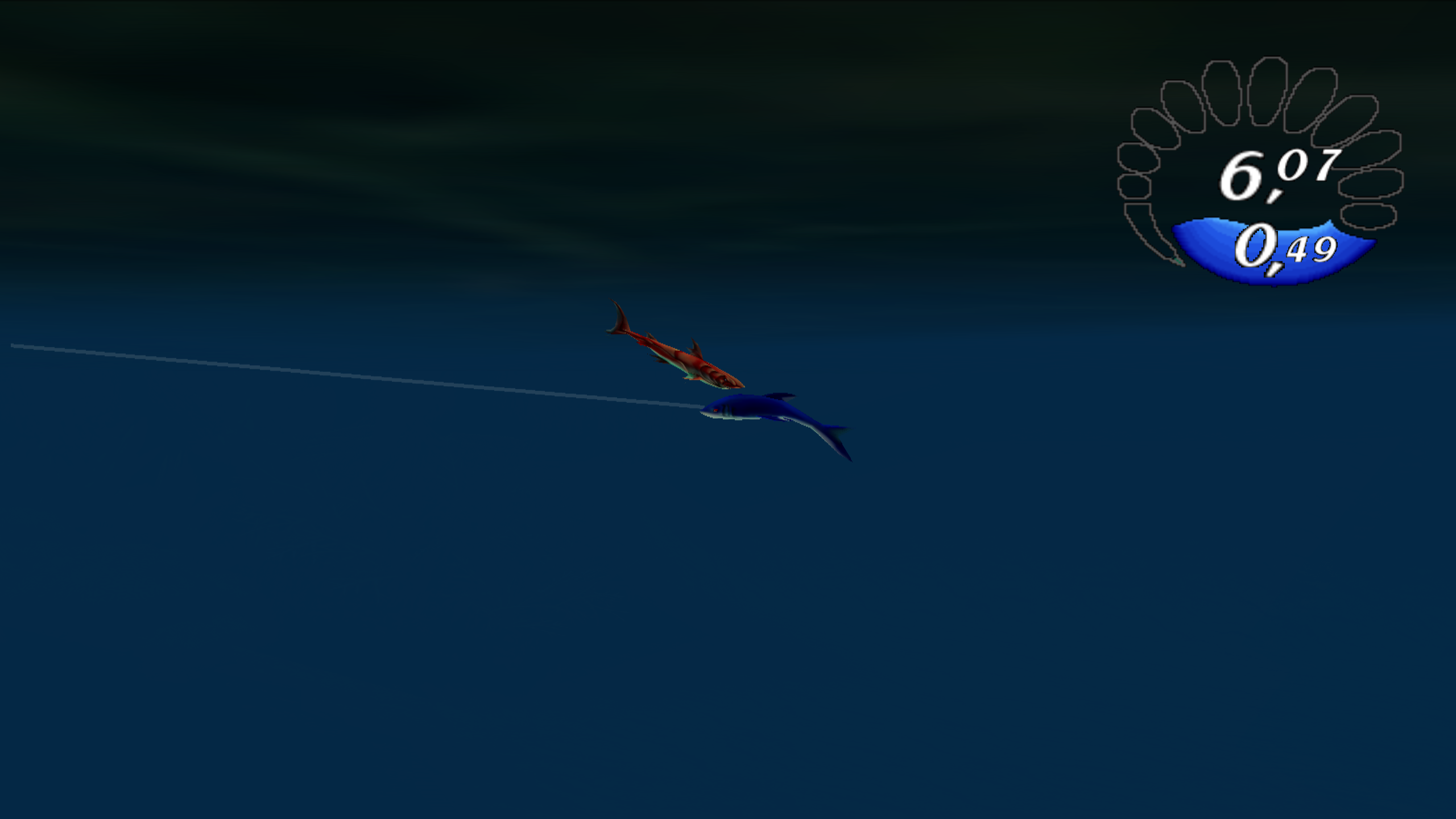
After exploring the data a bit more using Bless, we can already identify certain patterns in some values. For example, the values between 0x3F and 0x41 can signify a floating point number, such as CC CC 4C 3F, which represents (in little endian) the value 0.8, while 00 00 70 41 is equal to 15.0. We won’t get much further than that by simply examining the structure, though. We have to put on our experimentation hats, modify some values and see how they affect the behavior of each item in the game. With this procedure, I managed to decypher the greatest majority of values, such as fish lure preferences or item drops, as well as moderately fun facts and images, such as the weight range being encoded in hectograms, or a tiny but very ferocious Red Plate.
I could have called it quits here, but I was in the process of creating a wikia for this game, and there was one critical thing missing: Item icons. I had to get the original icons used for each of the in-game items. I obviously searched online for any traces of these assets, but all I found was the original website of the game developer. There are some item icons in there; unfortunately, not all of them.
I decided to jump back into the binary to find them. Luckily, the binary image was in .iso format, which can be easily extracted into several files and folders. That’s where my luck ran out. All I was left with is a bunch of files with unknown extensions, such as .BD, .SD, .PAC, etc, and no way of opening them. After looking through the generated files, I concluded that the image items must be stored in the file named CDROM.PAC for two reasons. Firstly, it was the biggest file in the archive, and secondly, the rest of the files were adequately grouped in folders with meaningful names, and none of them referenced any image, picture, or texture keywords.
I, as one would expect, opened this file in a hex editor, and what I found would not surprise you. It’s an archive file. It started with the magic bytes PACK and a list of filenames. I searched online for a long while, but unfortunately I found nothing resembling it, nor anything that claimed to open this file format.
Writing your own archiving format
Again, I was left with no choice but to write my own archiving utility. Surprisingly and luckily for me, I’m not the first lunatic to have had this need. I found this little project called QuickBMS. QuickBMS is a GPLv2 licensed “universal script based files extractor and reimporter”. It has its own domain specific language to describe the structure of the archiving format, including endianness and byte alignment, which it uses to unpack a given file archive.
After several trial and error iterations, I managed to write a script that made QuickBMS produce a couple thousand file-looking things on my folder. Most of these files had fairly cryptic names consisting of 3 letters followed by 4 numbers, such as CDB_0120.TXL. A few of them, though, were very understandable. Some of them even familiar, such as lure.info and fish.info, which contained the information we analyzed earlier.
After perusing this catalog and inspecting a few files, I realized that all files with the extension .TXL were archives with the exact same format as CDROM.PAC. One of these files, coincidentally, was called ITEM.TXL. Could it contain my precious item icons? I ran the QuickBMS script against all of these files and what I found inside left me with mixed feelings. On the one hand, I was definitely getting closer to my goal. Inside ITEM.TXL lay a list of files titled Mat01.tm2, clearly referencing the lure construction materials within the game. On the other hand, I had no clue what the extension .tm2 could possibly mean.
Searching online led me to conclude that this is a propietary format called TIM2 created by Sony for the PlayStation 2. Unfortunately, this format is not widely used outside of its designated purpose, so the tooling is scarce. Searching for programs that could open such file format showed only one: XnViewMP, a freeware image organizer. Why that was the only known program that can handle these images we’ll never know. I proceeded to install this program and it did indeed open these files without a hitch. It only had some trouble with transparencies, but that can be understood given the rarity of this format.
I could have stopped there. Simply load each image into the program, export them as pngs, fiddle around with transparencies and be done with it. I obviously didn’t stop there.
Implementing a new format in ImageMagick
I set out to fully understand this file format. How can such a format be almost forgotten about? I searched online for a specification of the format and, to my surprise, I actually found some interesting stuff. I found a fairly complete specification of the format in a wiki called XeNTaX, dedicated to preserving game file formats, as well as another fairly complete spec in another wiki called “The Cutting Room Floor”, dedicated to unearthing and researching unused and cut content from videogames. It feels encouraging to see that I’m not the only one that took the time to uncover some secrets and preserve some history. Plus, what would the internet be without these hyper-specific communities? I also found a very detailed post in japanese and a forum post in russian with some more details, plus some more webpages which I’ll leave below in the references.1 2
But that was not all that I found. It would appear that somebody leaked some kind of internal tool on github that was used for loading and handling TIM2 images. It contains a copyright notice for “2002 Sony Computer Entertainment Inc.”, and the files are prefixed with “SCE CONFIDENTIAL”. The comments, once converted to EUC-JP encoding, seem to be coherent and insightful, which leads me to believe that it might be Sony’s original source code. Nevertheless, I chose to proceed without the aforementioned leaked specification for one simple reason: it would be copyright infringement.
After reading and re-reading all these resources many times, I began to have some idea as to how this image format was designed. Luckily for me, it was a fairly simple format, without any compression like png or jpeg.
This format uses a technique called indexed color. The binary is divided into two parts. Firstly, the CLUT (Color LookUp Table) with the palette of the image, and secondly, the list of pixels, each referencing one of the entries in this CLUT. Additionally, the CLUT can be stored in two different CSM (CLUT Storage Mode). On CSM1 the CLUT is shuffled, so it needs to be deshuffled. The reason it is shuffled appears to be related to memory bus layout of the PS23. The long and short of it is that the 2nd and 3rd block of each page in the CLUT must be swapped.
After gathering all of this documentation, I set out to write my own decoder for the TIM2 format in ImageMagick. I quickly found out that ImageMagick already supports the TIM image format, the predecessor of TIM2, so I used it as a template for implementing my own. After many hours of figuring out how the ImageMagick API worked, I managed to produce the following image:

That’s it! I managed to extract the image icons that I was looking for! I immediately uploaded them into the wiki I was building. At the same time, I opened a PR for ImageMagick to include my TIM2 image decoder. It took a couple of weeks for my PR to be accepted, and it was finally included in ImageMagick 7.0.8. It makes me proud to say that running magick identify -list format now shows TM2* TIM2 r-- PS2 TIM2 among the supported formats.
Addendum
It seems I may not have been the first to post proof of fixing this bug. I later found out that someone posted videos of some of the Legendary fish being caught and even finishing the game on YouTube. The author mentions on the comments using a modified save game they found online, so I can still take credit for being the first to document how to fix the actual bug, instead of using external workarounds.
Additionally, I found out there exists a version of the game made specifically for the japanese market, titled “BuzzRod: Fishing Fantasy”. I found out that this version of the game is not bugged, as shown in a video by a japanese youtuber. Either it isn’t bugged, or he fixed it as well, which sounds unlikely.
Regarding the TIM2 encoder, there are still some weird issues about it. When I was implementing it, I was exclusively trying to convert from .tm2 to .png, as that was the format I wanted to use in the wiki. I later found out that for some odd reason, converting to other formats does not work as well as it does for .png. For example, converting to .gif does not preserve the transparency, and converting to .jpg produces an almost completely black image.